
If you are a Gmail user, you might have noticed recent changes in User Interface and User Experience. No doubt Google is putting best effort to provide the best and the user friendly, easy to access UI with better interaction on the Gmail client. But in many cases, many people find the new look and feel bit uncomfortable to access many of the features in new Gmail client.

Well here is the good news for all the Gmail users looking for the older look of Gmail and to access all the features with ease. Just performing few simple steps, you can get back the same older look and feel of Gmail. Let us have a look at these steps:
Login into your Gmail account, entering your login & password
Now at the right hand side just besides the email counters and navigation, you will see an option for “Settings/Options Wheel”. Click on the option and look for the label of “Revert to the old look temporarily”
Just click on the ‘Revert to the old look temporarily’ to confirm your decision.
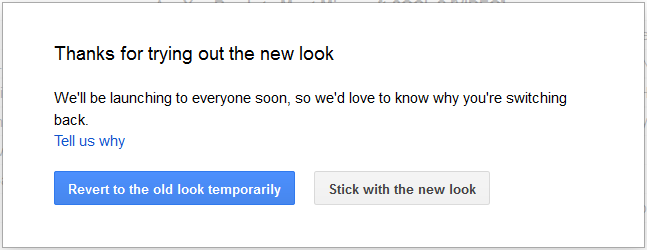 That’s it; doing this will you will now see the old look and feel of Gmail on your account. This is actually a temporary fix and there is no surety until when this feature will be on the Gmail settings, but still for the time being it will help you out to get the old Gmail look.
Switching back to new Look
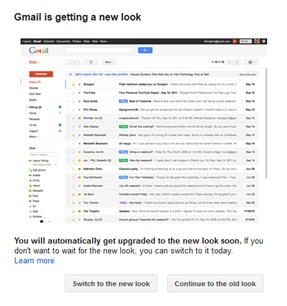
In case, you decide to switch to the new look environment of Gmail, just click on the ‘Switch to new option’ which will automatically comes every time you login to Gmail. You can see this option on the right hand footer side of Gmail page.
 Doing this it will ask you to confirm your decision by clicking on ‘Switch to the new look and that’s it, you will land up with the new look of Gmail.
  Do share your views on the development and experience you have on the Gmail’s new look, how do you like the new look and feel and what all problems and issues you have regarding various aspects of UI and UX of new Gmail.


